> For the complete documentation index, see [llms.txt](https://docs.multiset.ai/llms.txt). Markdown versions of documentation pages are available by appending `.md` to page URLs; this page is available as [Markdown](https://docs.multiset.ai/multiset-app/app-localization.md).
# App Localization
Test localization inside the MultiSet App once a map is active, choosing between robust multi frame and fast single frame.
To try out localization in the app, click on the Map name card after the map status is active
{% hint style="success" %}
Localization is supported on all iOS and Android devices supporting ARKit and ARCore.
{% endhint %}
### Choosing a Localization Type
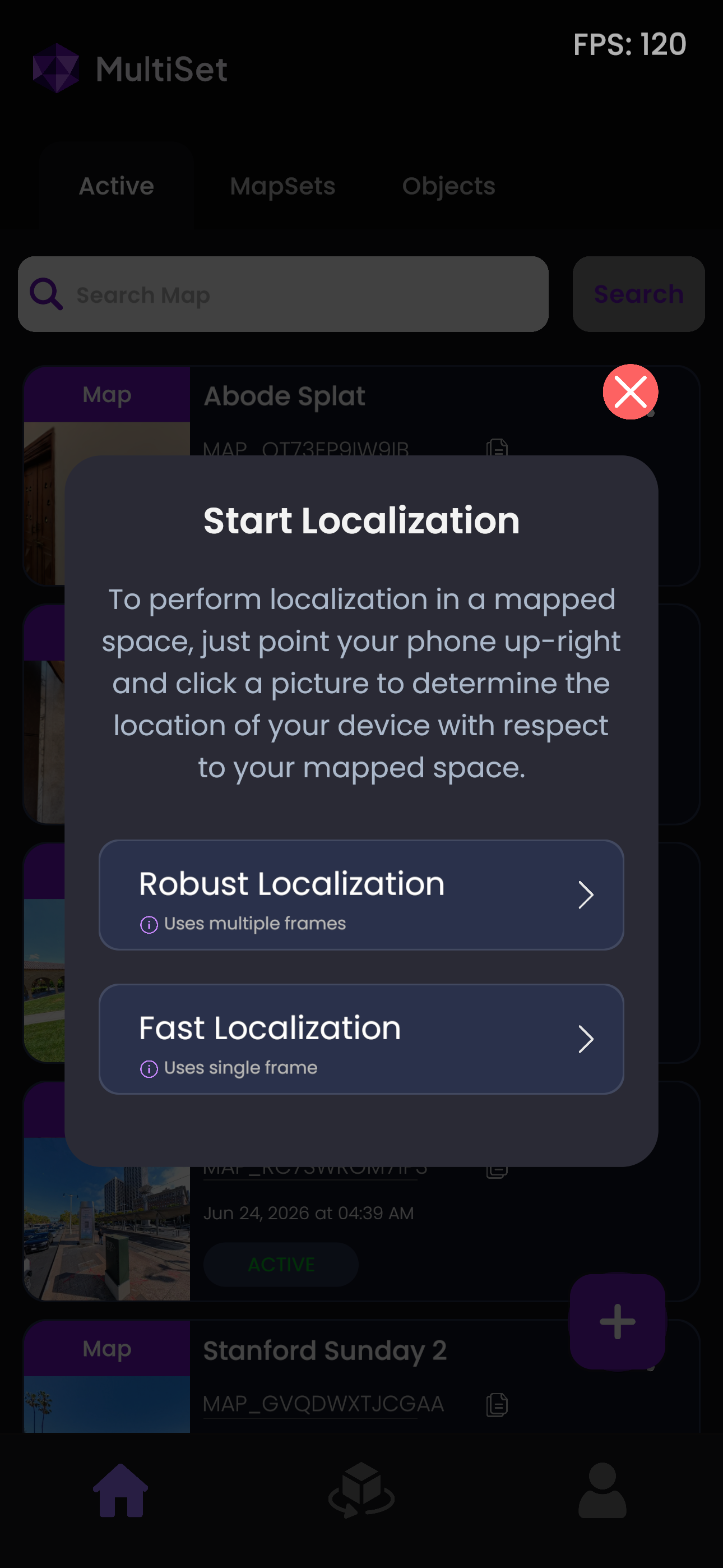
Selecting a Map or MapSet opens the **Start Localization** dialog, which offers two ways to localize. Both return the same 6-DoF pose, they differ in how many camera frames are sent and how long the request takes.
The Start Localization dialog, shown after you select a Map or MapSet.
#### Robust Localization (multiple frames)
Captures 4 to 6 frames along with the device's ARKit or ARCore tracking pose and sends them together. Combining several viewpoints makes the result more reliable in difficult conditions such as repetitive textures, partial occlusion, or minor changes to the space since it was scanned. Expect a pose in up to around 5 seconds.
#### Fast Localization (single frame)
Sends a single camera frame. This is the quicker option, returning a pose in around 2 seconds, and works well in well-textured, stable spaces where you want a result immediately.
| | Robust Localization | Fast Localization |
| --------------------- | ----------------------------------------- | -------------------------------------------- |
| Frames per request | 4 to 6 | 1 |
| Typical response time | up to \~5 seconds | \~2 seconds |
| Best for | Challenging or visually repetitive scenes | Quick results in stable, feature-rich spaces |
These correspond to the multi frame and single frame query types in the VPS API. See [Localization](/fundamentals/localization.md) for the underlying endpoints and parameters.
### Running the Localization
Once you pick a localization type, the camera will open to initiate the localization process. Move your phone left and right within the mapped area to allow the camera to perform accurate localization.
After successful localization, you will see your Map mesh aligned accurately with the real world, as shown below.
---
# Agent Instructions
This documentation is published with GitBook. GitBook is the documentation platform designed so that both humans and AI agents can read, navigate, and reason over technical content effectively. Learn more at gitbook.com.
## Querying This Documentation
If you need additional information that is not directly available in this page, you can query the documentation by asking a question.
Perform an HTTP GET request on the following URL with the `ask` and `goal` query parameters:
```
GET https://docs.multiset.ai/multiset-app/app-localization.md?ask=&goal=
```
`ask` is the immediate question: it should be specific, self-contained, and written in natural language.
`goal` is what the user is ultimately trying to achieve, the reason they need the answer. Sharing it helps GitBook give you a better, more relevant answer. A goal is most helpful when it describes the outcome the user wants rather than restating the question. For example, with `ask=how do I create an API token`, a goal like `automate deployments from our CI pipeline` lets GitBook tailor the answer to that use case.
The response will contain a direct answer to the question and relevant excerpts and sources from the documentation.
Use this mechanism when the answer is not explicitly present in the current page, you need clarification or additional context, or you want to retrieve related documentation sections.