# Maps
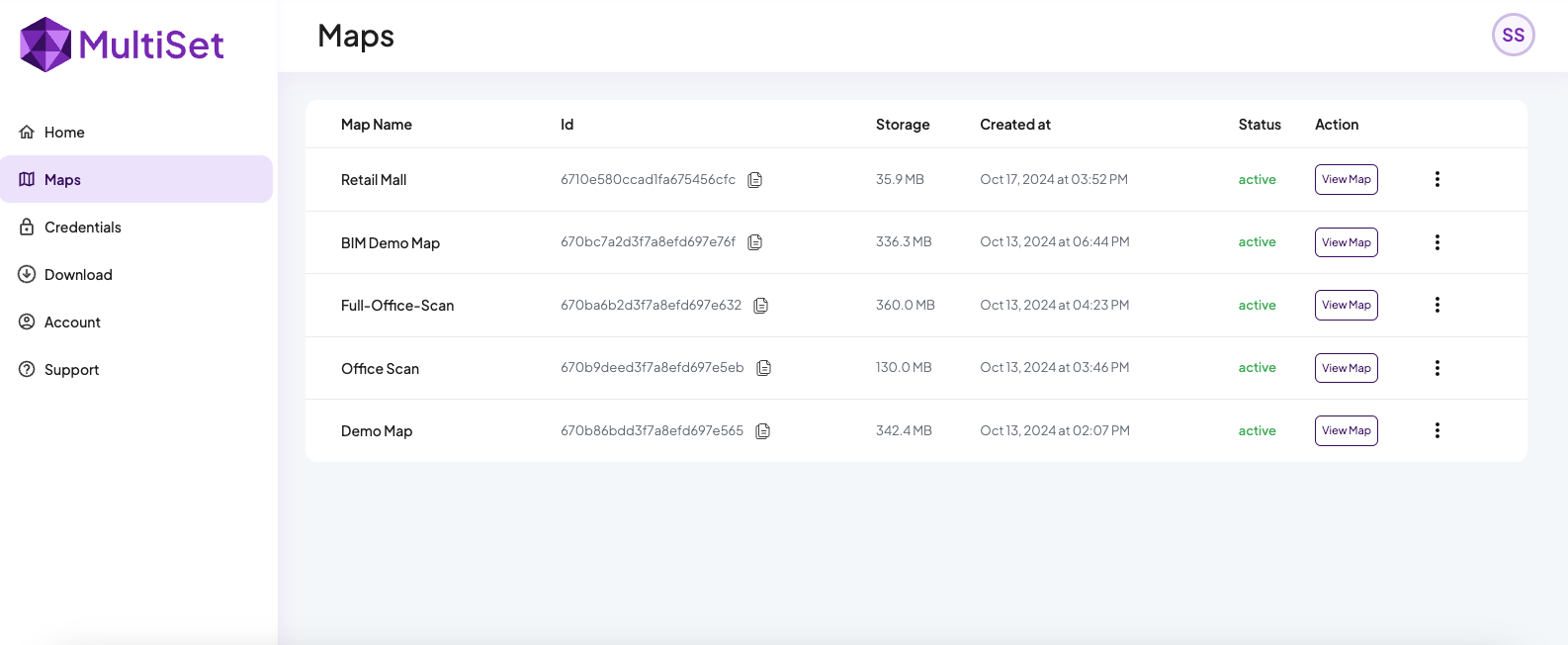
Maps section lists out all the maps you have captured so far with their status
### Map details
Each map section displays the Map Name, Map ID, Map Size, and the Date-Time of creation. Use the View Map button to view and download Map GLB files compatible with our SDK.
### Map Status
**Uploading** : Map data is being uploaded from the device to the cloud.
**Pending** : Map raw data is being processed in our cloud
**Active** : Map is active to download and make VPS calls
**Failed** : Map processing is failed, try mapping again
{% hint style="success" %}
MultiSet Mapping App currently supports iPhones and iPads equipped with Lidar sensor
{% endhint %}
---
# Agent Instructions: Querying This Documentation
If you need additional information that is not directly available in this page, you can query the documentation dynamically by asking a question.
Perform an HTTP GET request on the current page URL with the `ask` query parameter:
```
GET https://docs.multiset.ai/basics/maps.md?ask=
```
The question should be specific, self-contained, and written in natural language.
The response will contain a direct answer to the question and relevant excerpts and sources from the documentation.
Use this mechanism when the answer is not explicitly present in the current page, you need clarification or additional context, or you want to retrieve related documentation sections.